DNA by BEING
Posted by Dave Eddy on Feb 24 2011Check out this video from the band BEING! I just found them a couple days ago and they are creeping their way up to my top played on last.fm!
Check out this video from the band BEING! I just found them a couple days ago and they are creeping their way up to my top played on last.fm!
Check out my girlfriends new website! It uses a lot of Ajax/jQuery to attain a rich-user experience with minimal page refreshes!
When I first started using XBMC on Ubuntu, I read that it is impossible to use LIRC and xpad at the same time, and that in order for the IR receiver to work with LIRC you need to blacklist the xpad module. This is true from a stock install of Ubuntu, but upon examining the source of the modules, I found that they could be edited in such a way to allow both to be used at the same time without stepping on each other.
The problem lies in the way that the two modules look to see if something plugged in is an Xbox accessory. They both use the vendor ID’s, but they both have a default case of accepting the id 0xFFFF which is sometimes used by third-party chinese accessories. Because I knew what IR receiver I was going to be using, I could edit the LIRC module to ignore the vendor ID 0xFFFF, so it could be picked up by xpad. This would allow the LIRC module to only pick up the stock Xbox DVD dongle, and ignore any other Xbox accessory. Then xpad would be able to pick up any accessory that wasn’t matched by LIRC.
This is the source code of the kernel module used to scan USB devices to see if they are an IR receiver. I followed the (somewhat outdated) guide here on how to modify the source code, and replace the module with the new source https://help.ubuntu.com/community/LIRC.
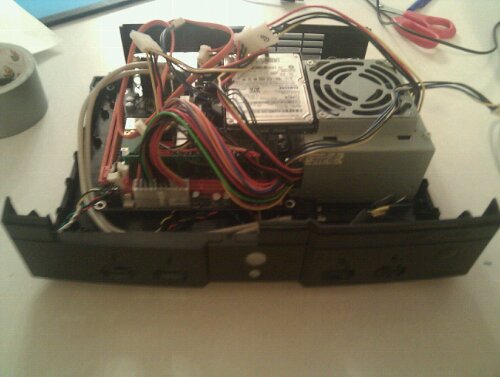
This is just a teaser for a new project I’m working on. The goal is to build a computer capable of full HDMI 1080p video into an Xbox case. Right now I have the components installed, the Xbox power button working, all four controller ports working, and I built in the Xbox IR receiver! More to come soon…
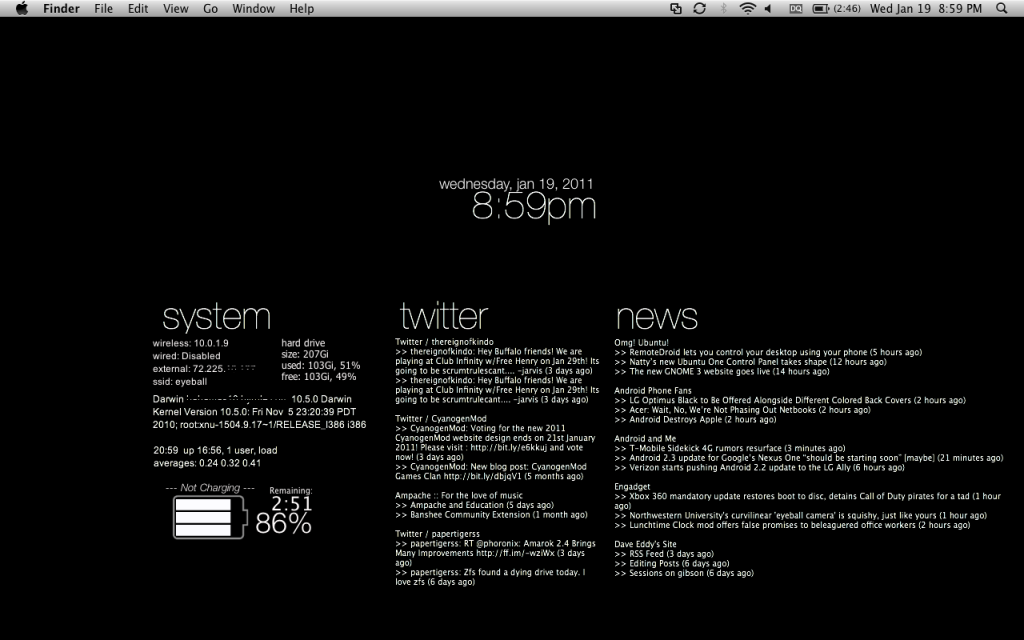
I recently got back into using geektool on my mac to spice up the desktop. I decided to go with a completely black background, and use white text to display important information on my desktop. Check out the screenshot below to see it! I’ll be posting the code up on my site soon to extract the information from an RSS feed using PHP.
New version of Viridian released! check it out at http://viridian.daveeddy.com.
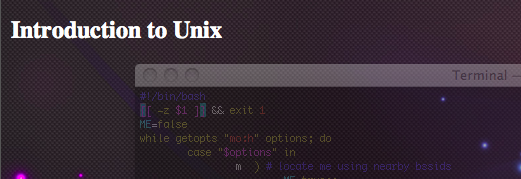
I created an introduction to Unix tutorial website for a class I took in development for the web. The information in it should provide a good introduction to Unix for people that have never used it before so check it out!
Check out the new website for the RIT Linux Users Group! There are a couple new tutorials posted (most borrowed from this site) and there will be updates for new events coming soon. Click the image to check out the site.

I just posted a new version (1.1) of my Ampache Wordpress module! You can see this plugin in action on the right hand side of the website. I have made a big change; I have fixed the bug where a slow Ampache server meant a slow loading website. I have moved all of the ‘heavy lifting’ from the plugin into an Ajax call, so it happens after the website has completely loaded, and the content fills the widget using the jQuery scroll in animation! You can check out the plugin on my website or by going to the plugins page.
New version of Viridian released today, you can find it at Viridian’s Homepage.
This version has the following new features: